OrderStock Pro for WordPress

480,00  / year
≈ €40.00 / month

Find here the Pro version of my OrderStock WordPress plugin, designed to help retailers or any organization manage inventory and place orders with suppliers efficiently. OrderStock Pro – Boost Your Inventory Management with Power and Simplicity! Transform your daily operations with OrderStock Pro: the premium solution that takes your inventory and order management to the next level. Designed for restaurants, retailers, caterers, or any demanding business, OrderStock Pro combines flexibility, efficiency, and intelligence to supercharge your workflow. Ready to save time and optimize your…

Category:

Description

Find the Pro version of here my OrderStock WordPress plugin, calibrated to help merchants or any organization manage inventory and place orders with suppliers optimally.

OrderStock Pro – Boost Your Inventory Management with Power and Simplicity!

Transform your retailer's daily life with OrderStock Pro: the premium solution that takes your inventory and order management to the next level. Designed for restaurants, retailers, caterers, or any demanding business, OrderStock Pro combines flexibility, efficiency, and intelligence to boost your workflow. Ready to save time and optimize your operations?

What you already get for free 🎉

OrderStock in its free version lays the foundations for simple and powerful management:

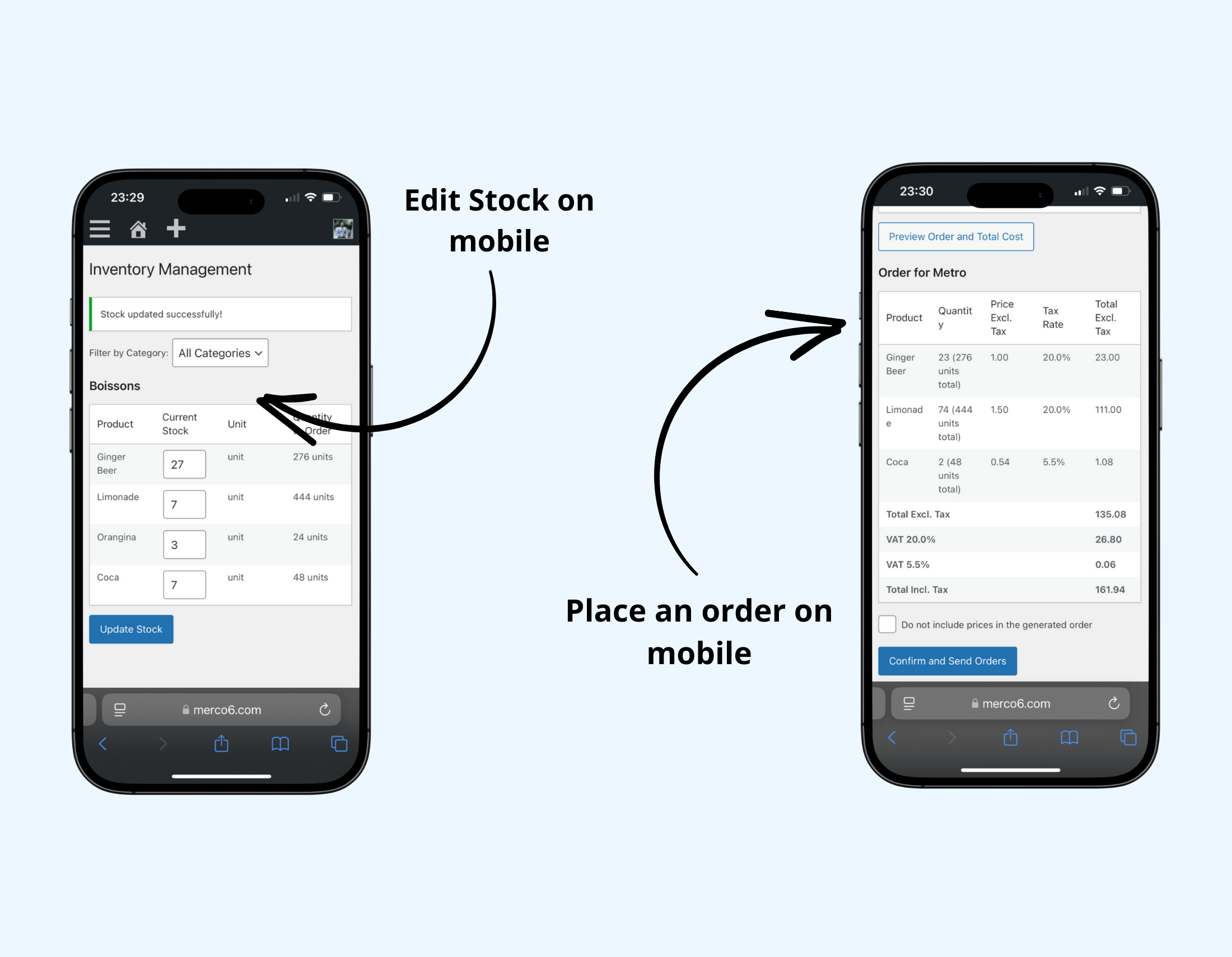
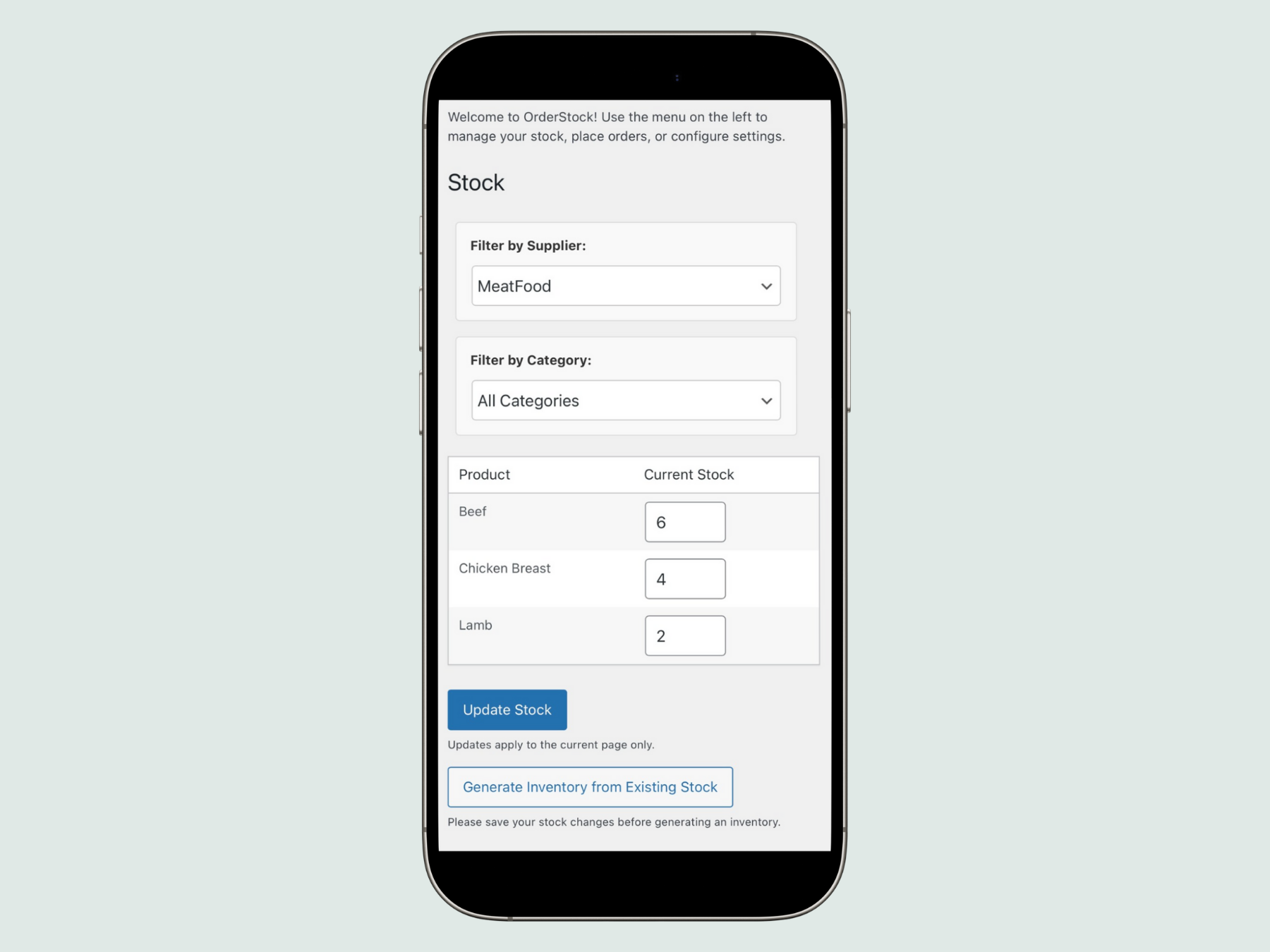
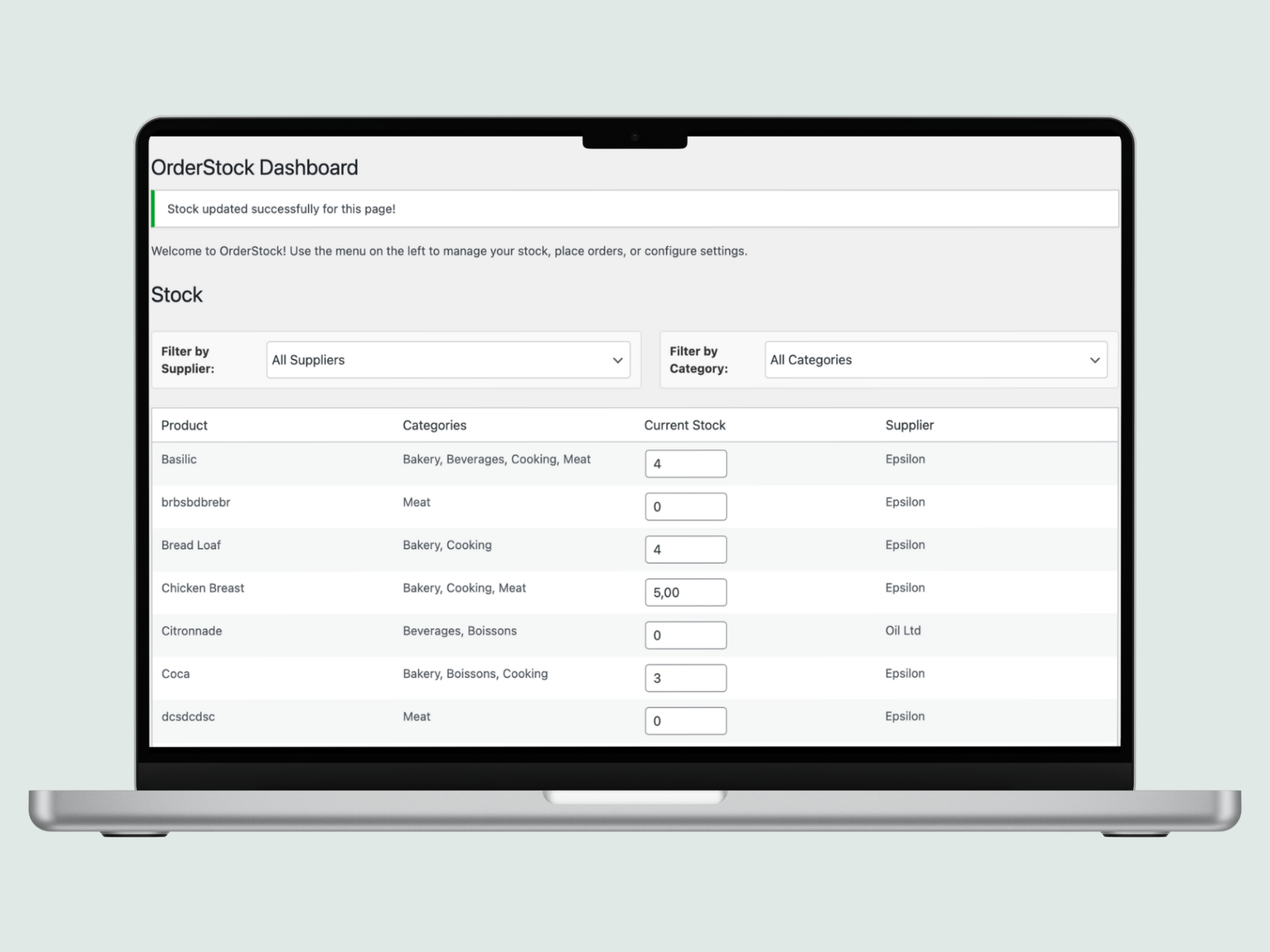
  • Seamless stock updates : Adjust your stock levels in the blink of an eye via an intuitive mobile interface.
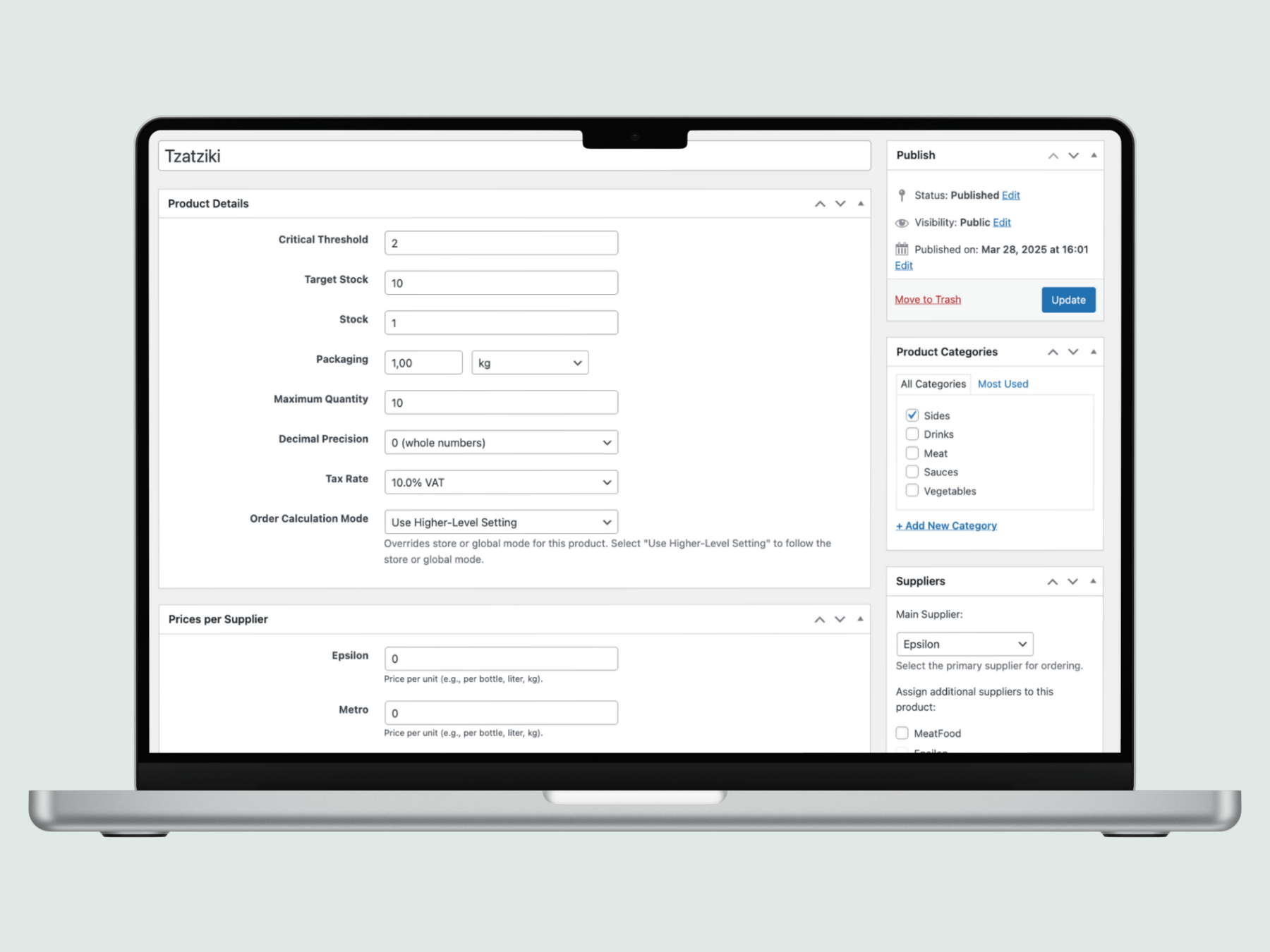
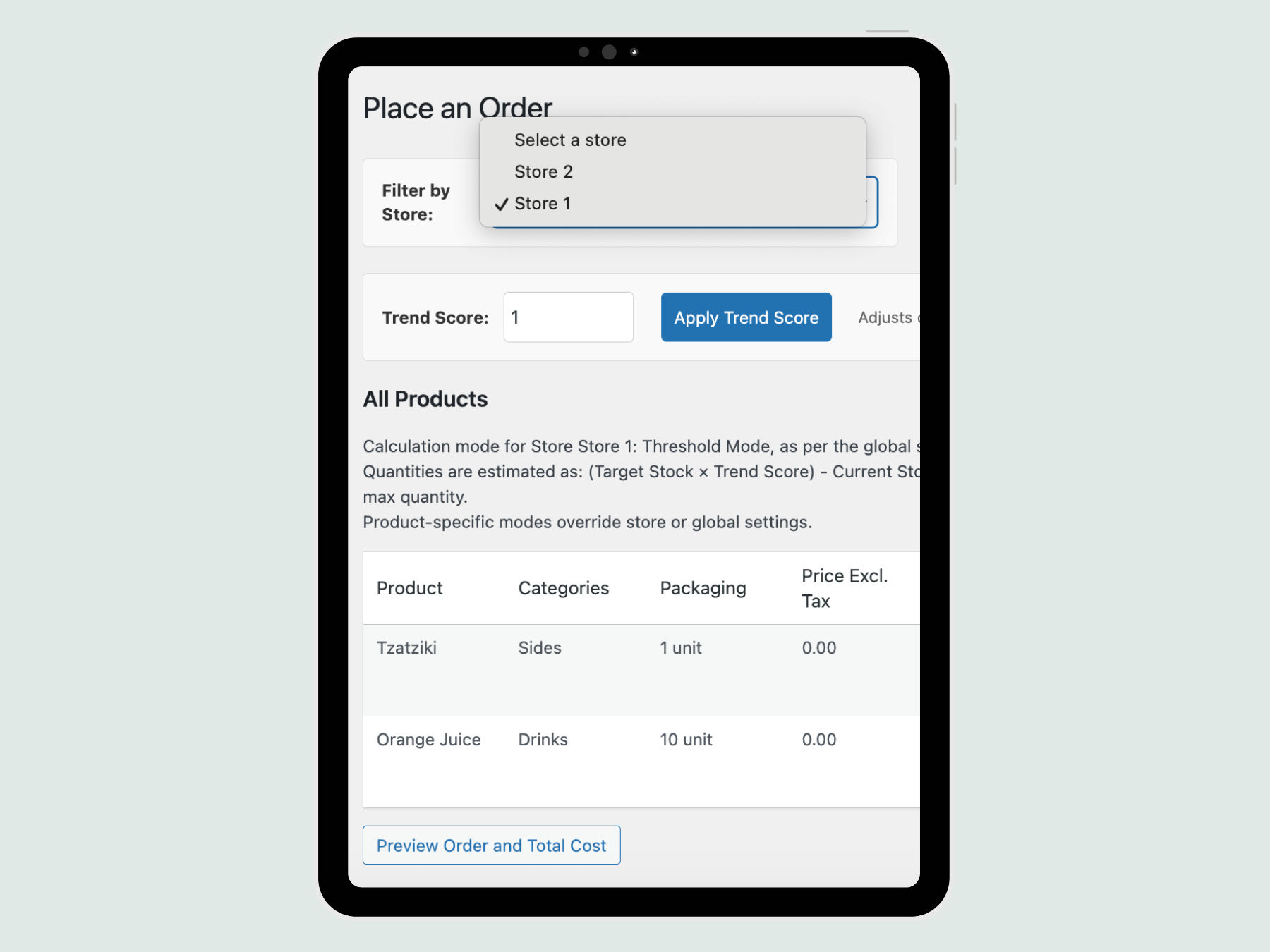
  • Smart suggestions : Choose between Forecast (daily sales × replenishment period) or Threshold (critical level & target) mode for optimized quantities.
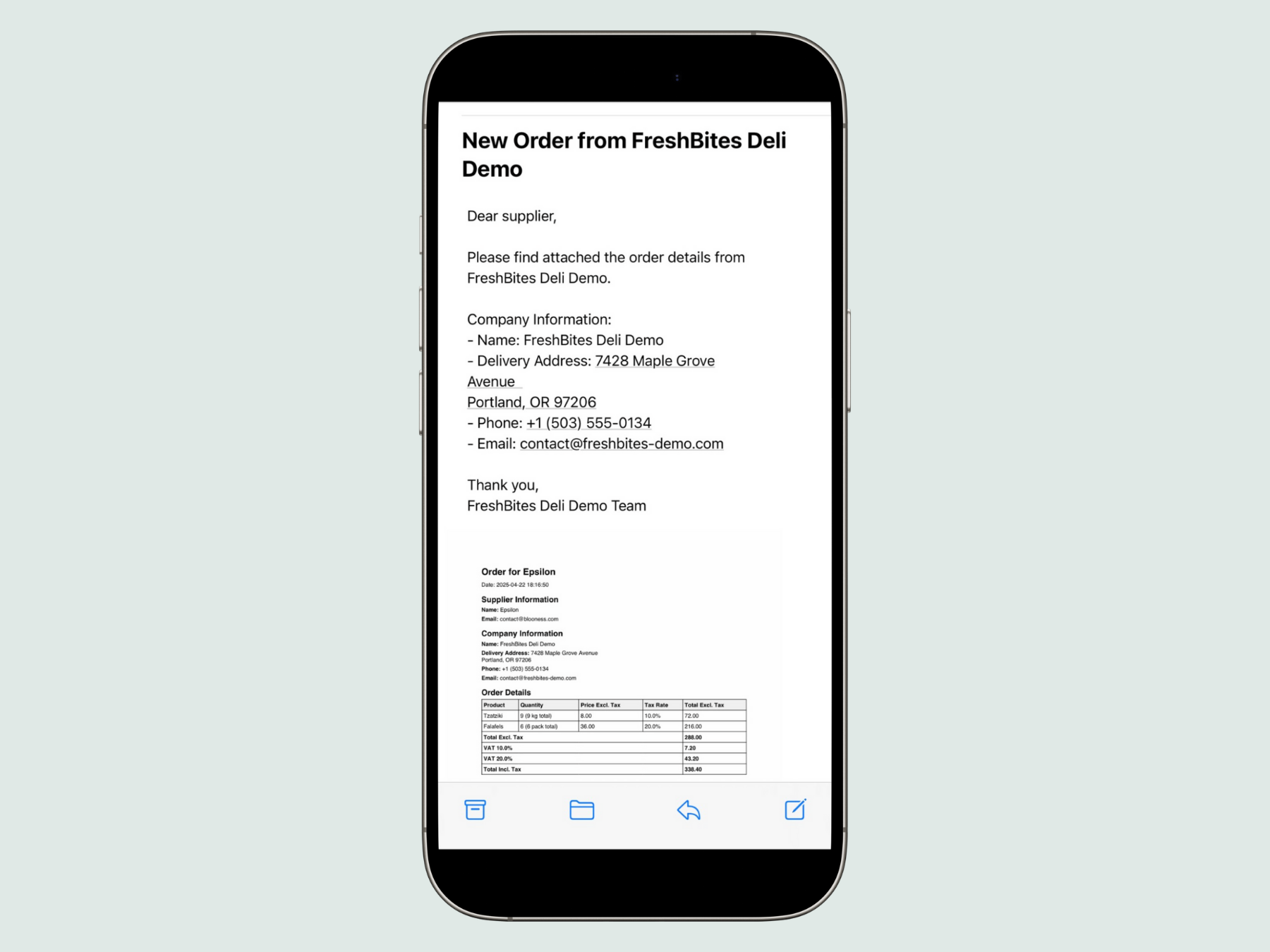
  • One-click orders : Generate professional PDFs and send them to your suppliers directly from WordPress.
  • Supplier management : Associate your products with suppliers and filter them easily.

Premium Features for Total Control ✨

With OrderStock Pro, available on Tulipe Media, you can move up a gear with powerful tools:

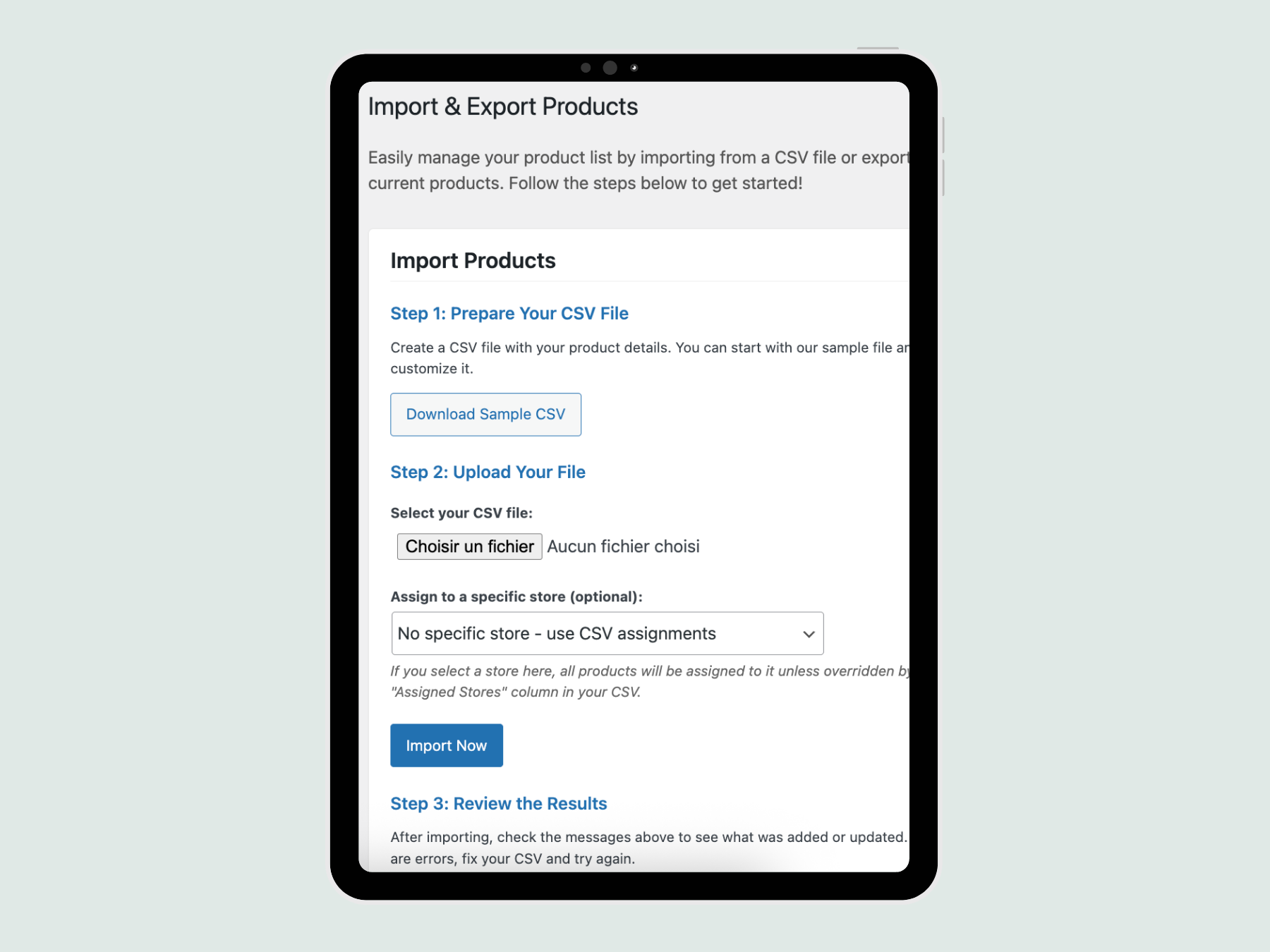
  • Simplified Import/Export : Update your products in bulk using CSV files – ideal for large volumes or rapid migrations.
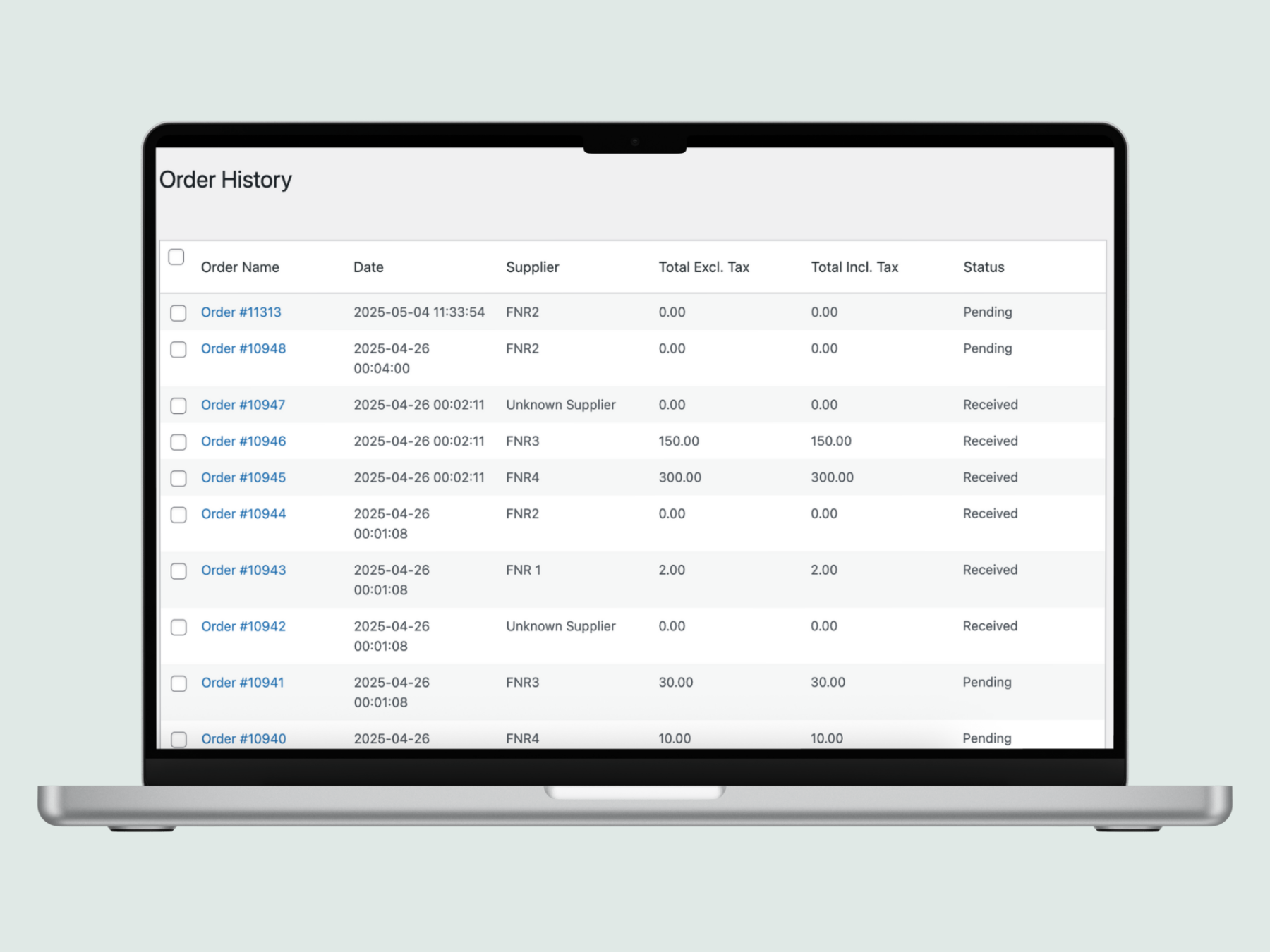
  • Order & Receipt History : Track every order, record quantities received, note actual costs and adjust statuses at a glance.
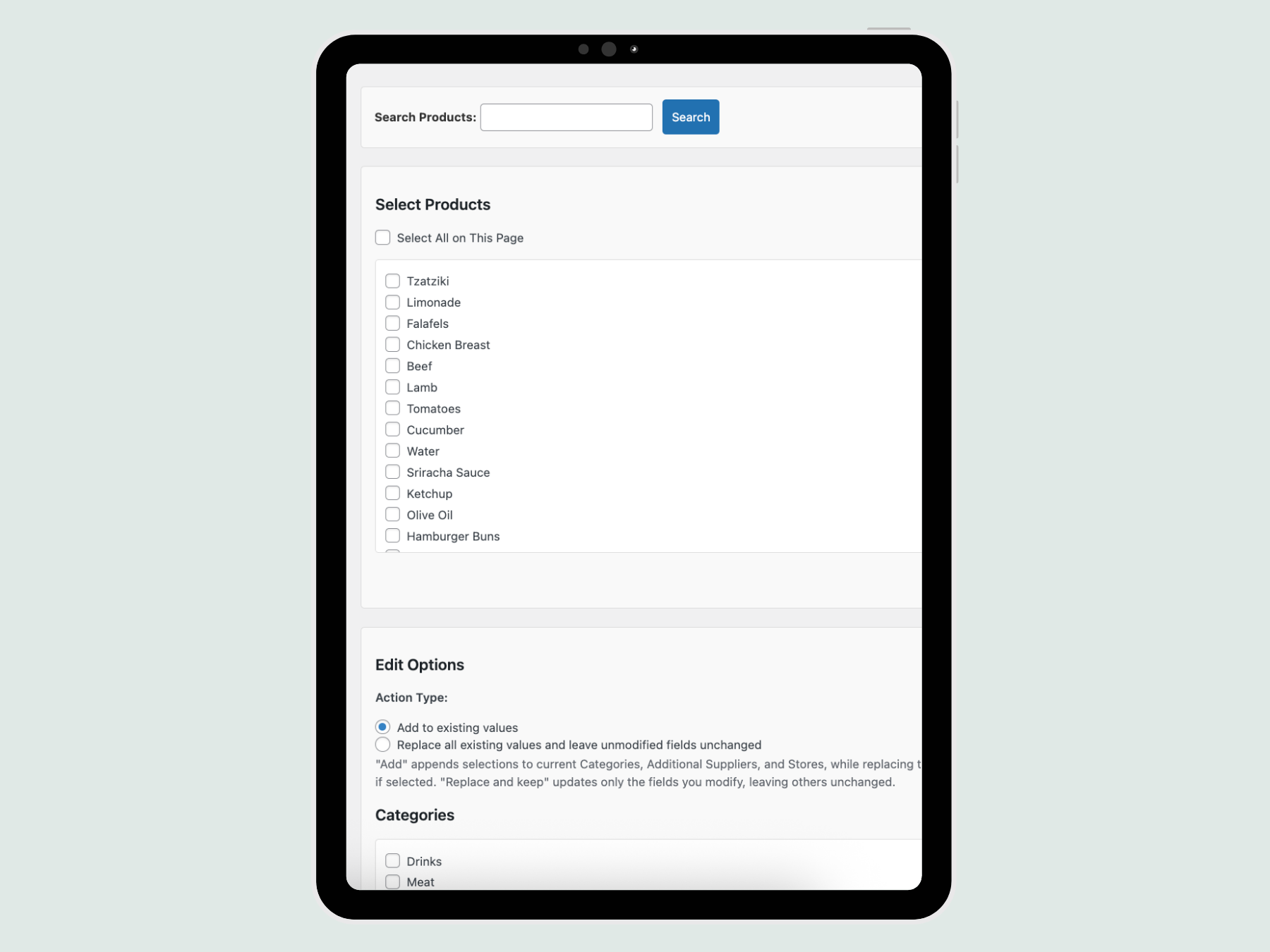
  • Mass Edition : Save hours by assigning suppliers, tax rates or stores to multiple products simultaneously.
  • Multi-Supplier : Assign multiple suppliers per product for ultra-flexible procurement management.
  • Multi-Store Management : Manage multiple points of sale from a single dashboard with centralized inventory tracking.
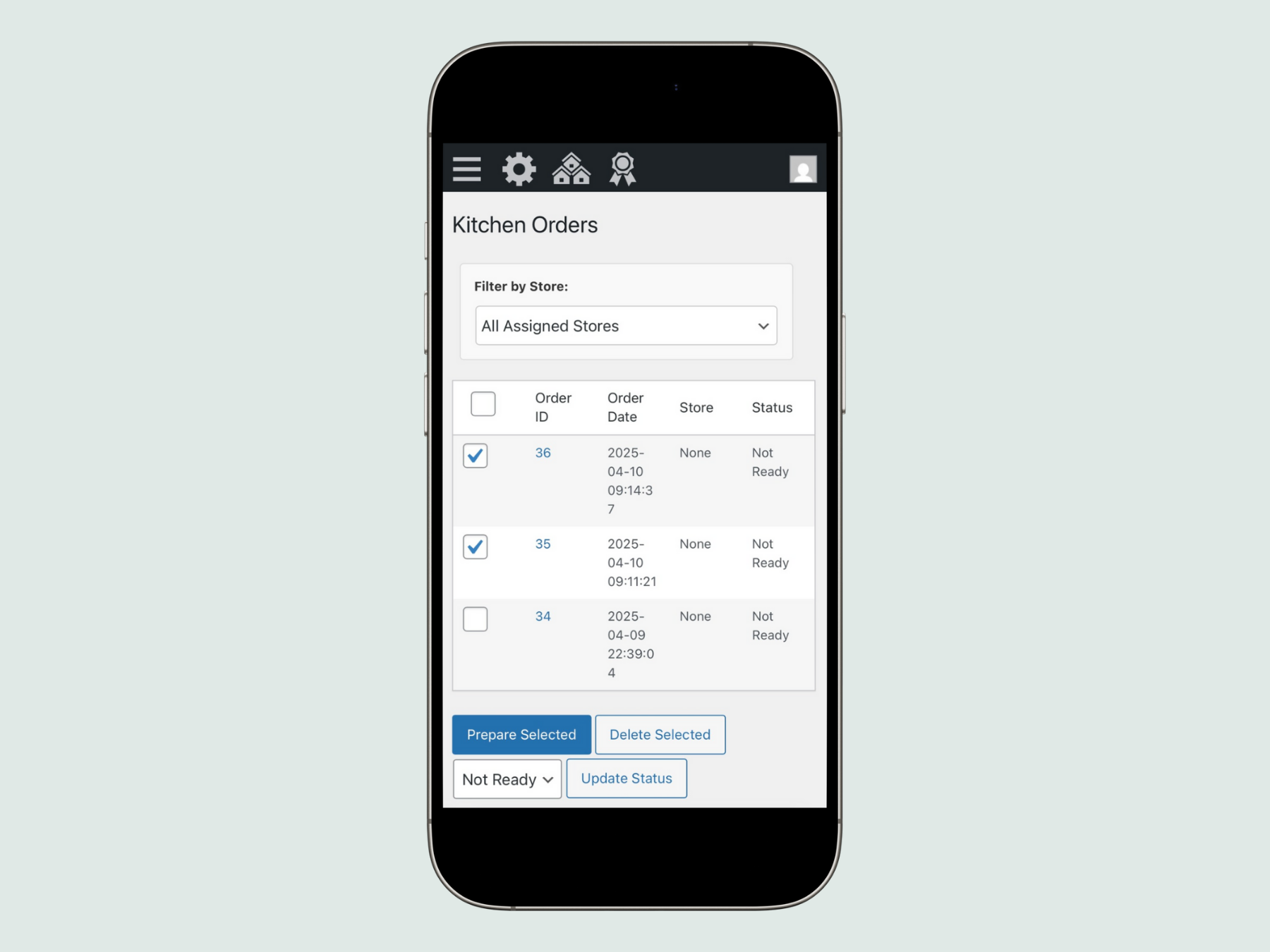
  • Magical Central Kitchen : Centralize orders to a warehouse or main kitchen for smooth and organized production.
  • Consolidation of Orders : Group your orders into a single preparation list – perfect for kitchens or warehouses.
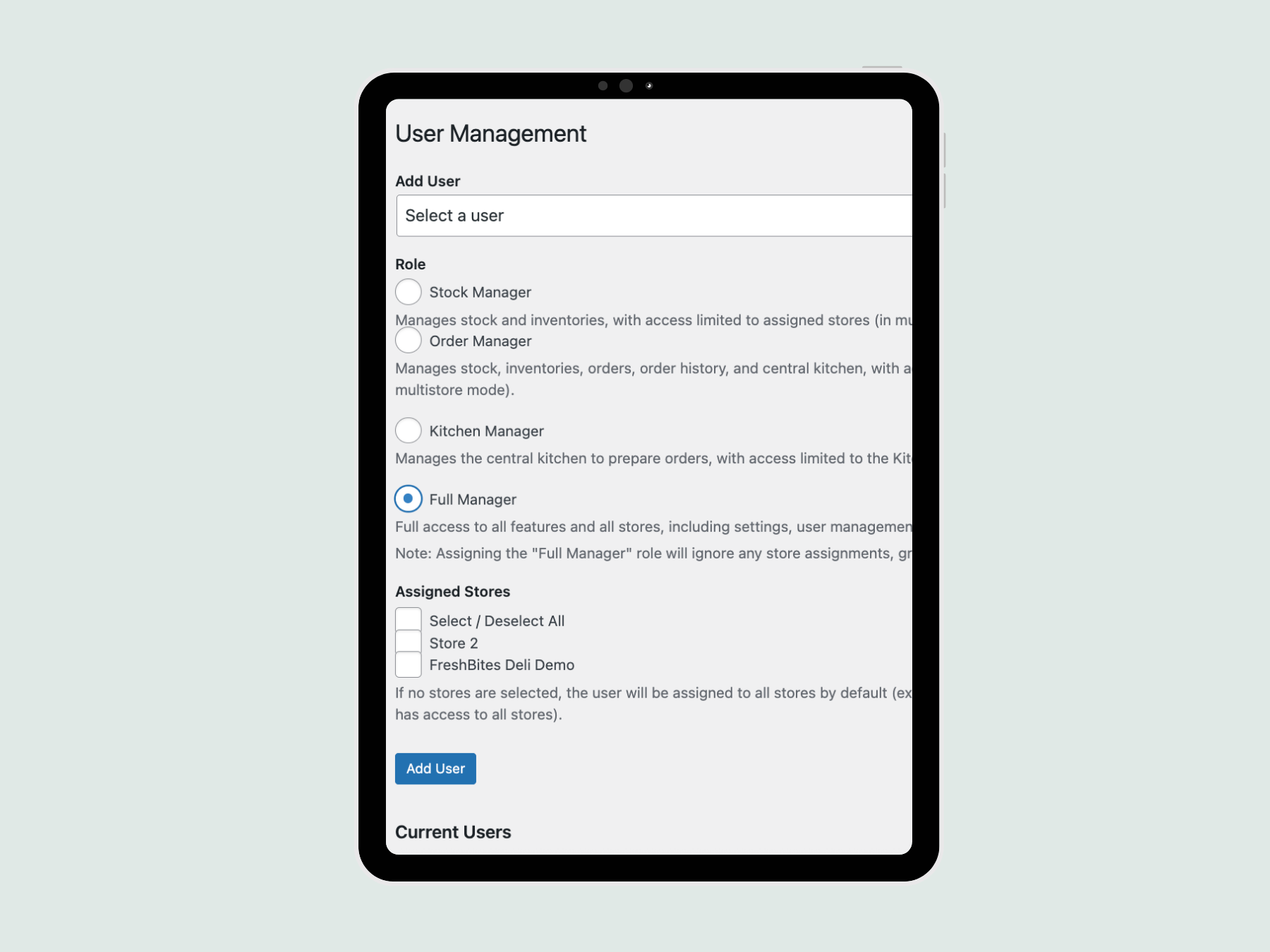
  • Team Permissions : Add users with custom roles (stock editors, order managers, etc.) to delegate securely.
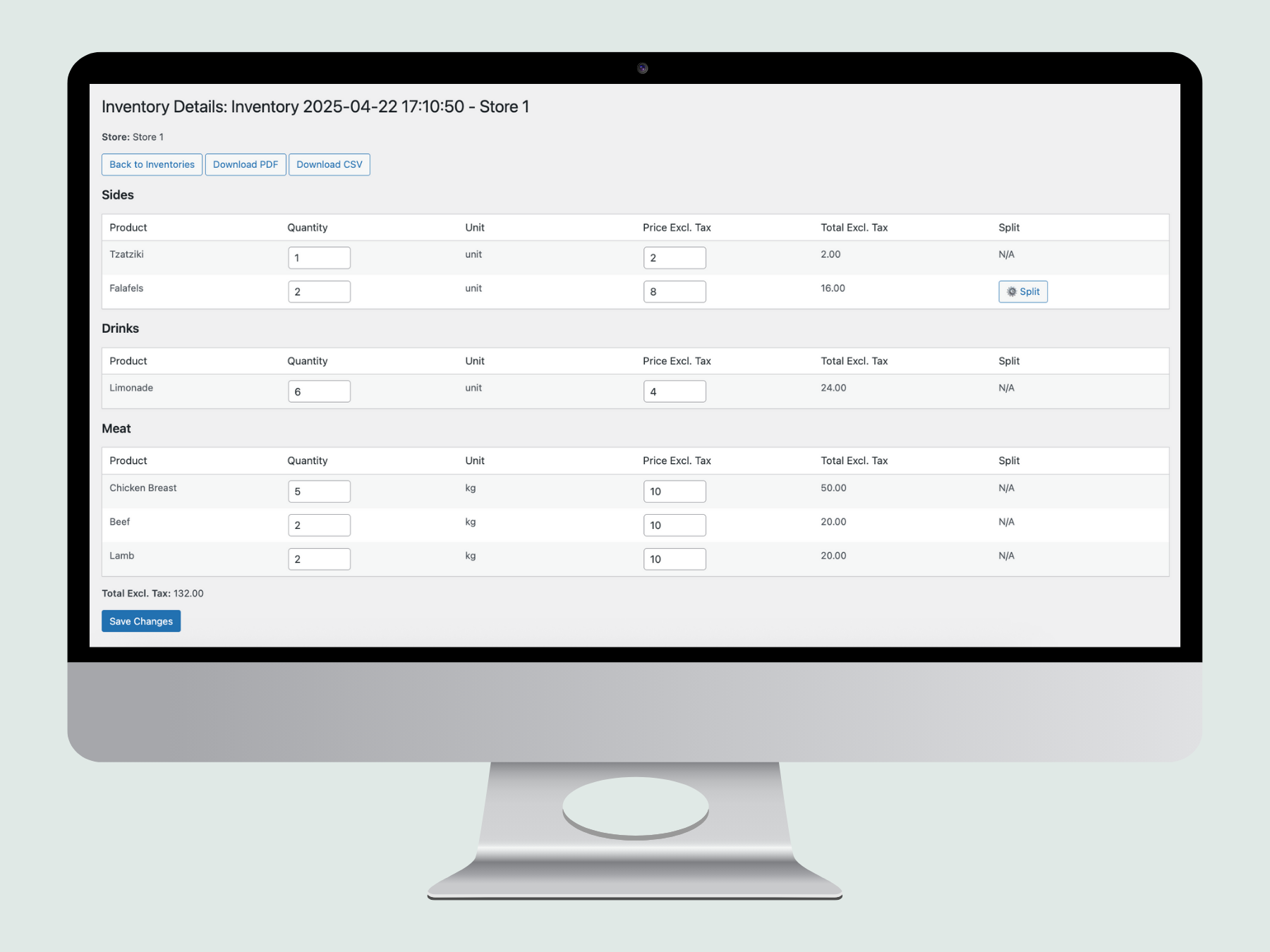
  • Inventory Snapshots : Capture your inventory status at any time for audits or accounting, with detailed PDF/CSV exports.
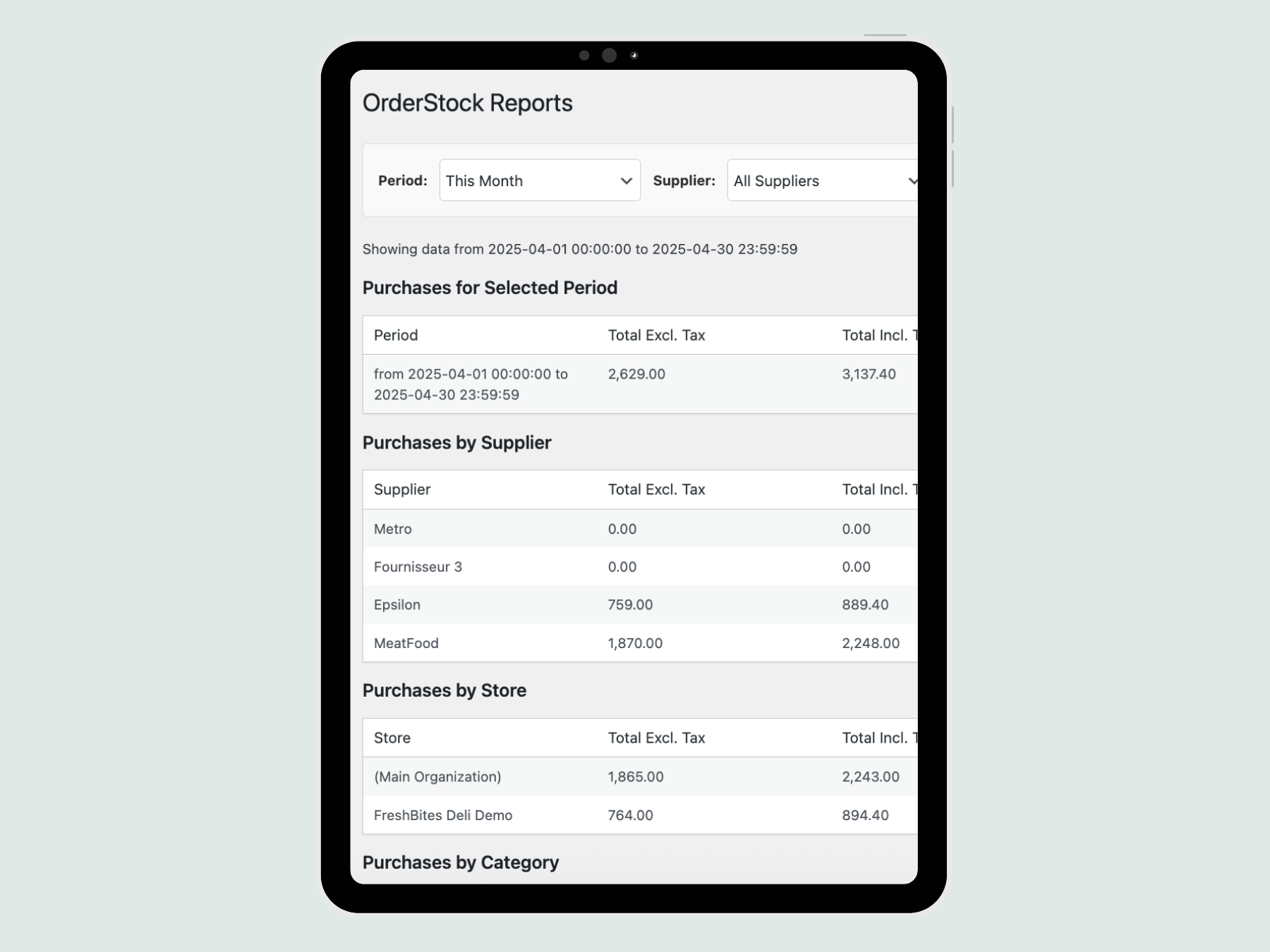
  • Advanced Reports : Dive into in-depth analytics and real-time cost tracking to boost your profitability.
  • Disposal : Record discarded products (expired date, breakage, etc.).
  • Waste statistics : find your history of estimated losses, with a breakdown by reason and the most wasted products (filtered by period and by store).

NEW: Integration with Zelty

Connect your Zelty account (POS solution) to populate Forecast Mode with your actual sales — no more guesswork about daily averages.

  • Login per store (or global) + connection test.
  • Recipes : combine your dishesoptions / extras And menus Zelty for consumed products (assistance with entry in subunits — e.g. 18 tortillas/pack —, import of an existing recipe, deletion of line).
  • Sales synchronization : calculates average daily sales of each product over a configurable window (28 days), with preview and one-click application, or automatic daily synchronization. Never alter your actual stock.
  • Breakups : indicates dishes currently out of stock on Zelty, and corrects (optionally) the bias of products often out of stock.
  • Sales figures in individual product, as a set menu/fixed-price meal (component dishes) and via selected options.

Why OrderStock Pro? 🌟

  • Light & Fast : No overhead, just powerful tools that run like clockwork on all your devices.
  • Intuitive : Designed for real traders – no need to be a tech expert to get the most out of it.
  • Scalable : Whether you run a small business or a multi-location chain, OrderStock Pro grows with you.

Level Up Today! 🚀

Don't just manage your inventory—master it! With OrderStock Pro, you save time and money. You reduce errors and make informed decisions with tools designed for your success. This premium plugin is your ally for stress-free management and assured growth.

Order your license now and unlock the full potential of OrderStock Pro. Available in just a few clicks on Tulipe Media – because your business deserves the best!


Avis

Il n’y a pas encore d’avis.

Soyez le premier à laisser votre avis sur “OrderStock Pro pour WordPress”

Your email address will not be published. Required fields are marked *

Changelog

2.7 – 2026-06-24

  • New: Zelty integration (cash register). Connect your Zelty account to populate Forecast Mode with your actual sales.
  • New: packaging unit "g" (grams).

2.6 – 2026-06-22

  • New: A new "Disposal" page has been added to record discarded products (expired date, breakage, etc.), accessible to the Stock Manager and higher roles. Each entry calculates an estimated loss and sends a PDF report via email to administrators.
  • New: New page «Waste Statistics» with history, estimated losses, breakdown by reason and most wasted products (filterable by period and store).

2.5 – 2026-06-21

  • New: Order confirmation link in the supplier's email. The supplier confirms receipt with one click, and other recipients (admins, stores) are automatically notified. The confirmation page reminds the supplier to use "Reply All" for any changes (products, quantities, delivery date). All messages are localized in the language used when the order was placed.
  • Improved: Order emails now define a Reply-To header (company/store email, with fallback to the admin email) so that supplier replies reach the company, with the sender address left to WordPress/your SMTP plugin for optimal deliverability.

2.4 – 2026-06-20

  • New: Order comments are now included in the central kitchen production PDF, under each store's order.
  • New: The desired delivery date is displayed per store order in the production PDF.
  • Improved: Production PDF — localized number formatting (without unnecessary zeros) and completed translations for all languages provided.
  • Improved: Quantities are displayed naturally according to each language in the order and production PDFs (e.g., "total of 0.9 kg" instead of "0.9 kg total").
  • Improved: Dates and times follow the conventions of each language in the PDFs (e.g., "June 19, 2026 at 2:15 PM", English "June 19, 2026 2:15 pm").
  • Corrected: spacing of the production confirmation message on the central kitchen page.

2.3 – 2026-06-18

  • New: Optional selector "Desired delivery date" and "Comments" field on the order page, reproduced in the PDF.
  • New: «"Opening hours" at the company and individual store level, displayed to suppliers on orders (email and PDF) under the delivery address.
  • New: The company's and each store's emails accept multiple comma-separated addresses, which also receive a copy of each order.
  • Improved: Order emails and PDFs are now fully generated in the user's language, with translations completed for all languages provided.
  • Improved: Numbers and dates according to the conventions of each language (separators, format) and without unnecessary zeros.

2.2 – 2026-06-17

  • New: Real-time display of the total order amount under the quantity field on the "Place an order" page, with a packaging indication displayed under each product name (e.g., "in lots of 10 units").
  • New: Additional security regarding suppliers in the order overview: display of the supplier(s) concerned and warning in case of order involving several suppliers in order to limit order errors.
  • New: A reminder banner for the destination store in the order preview (multi-store mode) indicates the relevant establishment before confirmation in order to avoid orders being placed for the wrong store.
  • Corrected: In multi-store mode, the stock page no longer displays products that are not assigned to the selected store.
  • Improved: French translations completed throughout the order page (calculation methods, preview labels, confirmation button, etc.).
  • Improved: Cleaning up internal debug logs to improve performance and produce clearer logs.

2.1 – 2025-05-20

  • Corrected: Minor bug related to license expiry fixed.

2.0 – 2025-10-31

  • Corrected: Dynamic version detection for improved update reliability.

1.9 – 2025-09-22

  • Corrected: Fixed frozen date bug in license check.

1.8 – 2025-09-21

  • Corrected: Trend Score values are no longer retained when switching stores in multistore mode.
  • Improved: The system now automatically triggers orders when stock reaches the critical threshold.

1.7 – 2025-08-26

  • Improved: If you delete or change a license key, the previous license is deactivated.

1.6 – 2025-06-26

  • New: Added notification system when the extension is updated.

1.5 – 2025-05-27

  • Added: Introduced minimum order threshold warning, enabling users to confirm orders below supplier thresholds.
  • Added: Detailed error messaging and logging for minimum order threshold validation.
  • Improved: Quantity calculations for measured units (kg, L) ensuring accurate totals in PDF outputs.
  • Fixed: Trend Score application failing for products with packaging_quantity > 1 in monostore and multistore modes, ensuring correct quantity adjustments.
  • Improved: Unified quantity display format across supplier and central kitchen PDFs.

1.4 – 2025-05-22

  • Added: Multiple comma-separated email addresses for suppliers in the Supplier Details metabox.
  • Fixed: Trend score application incorrectly setting quantity to 0 for products with packaging quantity set to 0 (eg, free ordering in kg or units).
  • Improved: Enhanced validation for store-specific parameters during import and settings save, preventing invalid configurations (eg, critical_threshold > target_stock or negative values).
  • Improved: Centralized retrieval of store-specific parameters with a new utility function, improving code consistency and maintainability in multistore mode.
  • New: Robust support for store-specific parameters in multistore mode, ensuring accurate order suggestions tailored to each store's settings.

1.3 – 2025-05-19

  • Fixed: Incorrect rounding of quantities for measured units.
  • Improved: "Quantity to Order" field now displays adjusted quantity after preview for consistency.
  • New: Alphabetical sorting by category (using the first assigned category) and product name in the 'Place an Order' product table, ensuring consistent ordering in the initial list, preview, and PDF.
  • Improved: Added page breaks between individual orders in the PDF generated by the "Prepare Selected" action in the Central Kitchen section.

1.2 – 2025-04-27

  • Fixed: Resolved a bug in PDF generation.
  • Fixed: Issue with user permissions.
  • Improved: Performance optimization for large databases.

1.1 – 2024-10-15

  • New: Inventory management and import/export features.
  • New: Detailed reporting for stock and order tracking.

1.0 – 2024-10-01

  • New: Initial release of OrderStock Pro with multistore and central kitchen support.
  • New: Advanced user role management for stock, order, and kitchen managers.

Related products