

Why does everyone have their own banner?
The rule stems from the European ePrivacy Directive, transposed into French law as Article 82 of the Data Protection Act: a website cannot place cookies or trackers on a visitor's device without their consent, unless such trackers are strictly necessary for the website's operation. Since the GDPR, this consent must be freely given, informed, and as easy to refuse as it is to give. The CNIL (French Data Protection Authority) has clarified all of this in its guidelines, and it's no longer taking any chances: on September 1, 2025, it imposed €325 million fine for Google and €150 million for Shein, in particular for advertising cookies placed without valid consent.
But let's be realistic: most small websites don't have a banner because they've thought about their tracking. They have one because they've installed, often without realizing it, tools that drop tracking: Google Analytics, a Facebook pixel, a YouTube video, a map, a chat or booking widget. The theme or agency then adds a consent extension, and the banner appears automatically. We pile on the tools, then we pile on a banner to apologize for piling them on.
A banner that almost no one reads
The principle was commendable: to give internet users back control over their data. In practice, it failed. According to the Didomi's 2026 report, According to one of the leading providers of consent solutions, only 5.4% of internet users take the time to configure their cookies. The others click the button that makes the window disappear as quickly as possible.
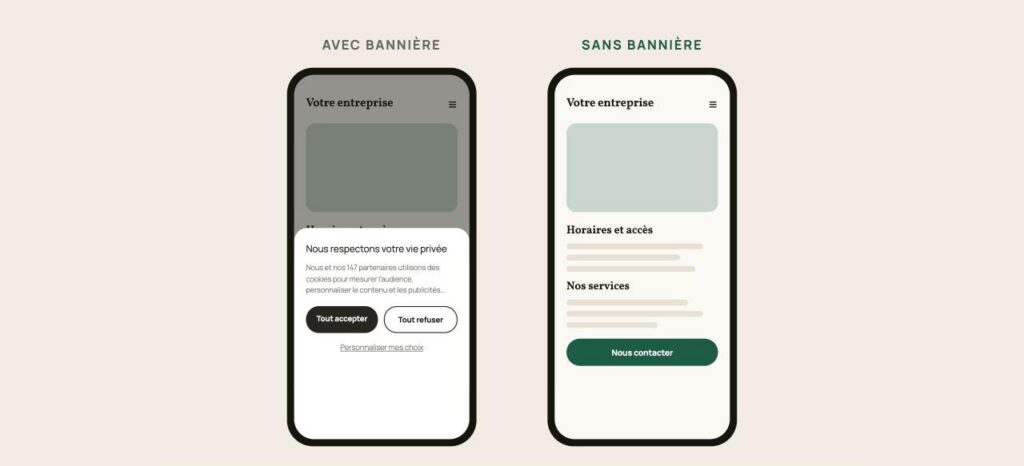
This is called consent fatigue. A pop-up window that appears on every website, on almost every visit, eventually stops being read altogether. Consent, which is supposed to be "informed," becomes a reflex. And meanwhile, the user experience deteriorates: on mobile, the banner often obscures half the screen at the precise moment the visitor was searching for information.
And will the banner disappear tomorrow?
Europe has acknowledged the problem. On November 19, 2025, the European Commission presented its "Digital Omnibus," a simplification package that also addresses cookies. The key measure: allowing everyone to express their choices once and for all in their browser, which would then automatically transmit them to websites. No more need to respond to each banner.
However, this measure was withdrawn by the Council of the European Union, which brings together the member states. According to Leto, Several states, including France and Germany, have called for its removal, amid intense lobbying by Google. According to the Council's negotiating text of October 2026, reported by PPC Land, There are still some advances to be made:
- a possible refusal with a single click;
- the prohibition on requesting consent again for at least four months after a refusal;
- new exemptions, including site-specific audience measurement, provided that it remains aggregated and anonymous.
The European Parliament has not yet finalized its position, the final negotiations have not yet begun, and an implementation period will follow. In short, the current situation still has a long way to go, and it will likely be several years before we see any real change.
Fan of the WordPress ecosystem? Discover the best of my articles on WordPress as well as my WordPress extensions to make your site shine!
Why not a single setting for the entire internet?
This is the question everyone is asking. If I refuse advertising tracking, why should I repeat this on thousands of websites? A single setting in the browser would, in my opinion, be the sensible solution. The idea isn't new, either: the "Do Not Track" signal already existed more than ten years ago, but lacking legal obligation, websites simply ignored it. In California, an equivalent signal, "Global Privacy Control," is now recognized by law.
If Europe is backing down, it's because the stakes are economic. A blanket refusal, expressed once, would mechanically cause the consent rate to plummet, and therefore targeted advertising revenue. European data protection authorities and several associations are calling for the reinstatement of this signal. We'll see who prevails. In the meantime, each website can make its own choice.
My suggestion: do without a banner
The reasoning is simple: the banner is only mandatory if you use trackers that aren't essential. No unnecessary trackers, no consent to request, therefore no banner. That's what I did on tulipemedia.com.
Cookies are useful to big brands, but rarely to a showcase website.
Trackers have real value for those who know how to use them. A major brand or e-commerce business that invests monthly in online advertising needs to retarget visitors who haven't made a purchase, accurately measure which campaign is generating revenue, and analyze its customers' journeys in detail. For them, cookies are a working tool, and banner ads are the price to pay.
For a website, a craftsman, a small business, or a freelancer, this is rarely the case. Who in a small business actually opens the detailed Google Analytics reports? Who has launched a retargeting campaign? In the vast majority of cases, these tools are installed by default, and the data they collect is never used. It's best to avoid a need that doesn't exist.
And it kills two birds with one stone. On the one hand, we're more considerate of the user: we spare them an intrusive pop-up and respect their privacy. On the other hand, we become less dependent on third-party tools: fewer scripts from elsewhere slowing down the site, fewer services changing their rules overnight, and data staying within our own system.
What I put in place
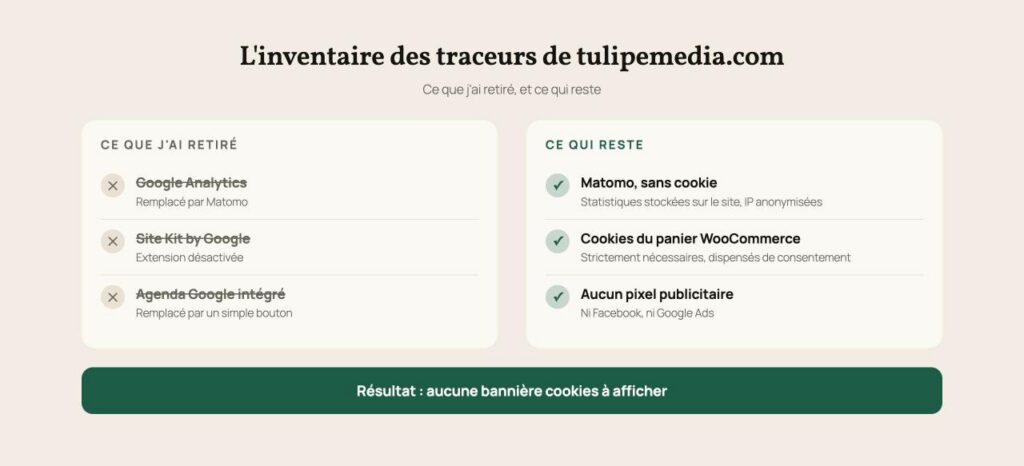
- Matomo instead of Google Analytics. I use the extension Matomo Analytics for WordPress, A European, open-source statistics tool, configured to operate without cookies and with anonymized IP addresses. The statistics are stored on my own site, not with a web giant. I know how many visitors come to which pages, and where they come from, without tracking anyone from one site to another.
- Google Analytics and Site Kit removed, even down to old tracking codes forgotten in extension settings.
- No advertising pixels, neither Facebook nor Google Ads.
- The booking calendar has been replaced by a button. My Contact page used to directly display the Google Calendar, a third-party content that can set its own cookies as soon as the page loaded. Now, a simple button opens the booking page, only when the visitor chooses.
- The shop's cookies have been saved. WooCommerce uses cookies for the shopping cart and order: they are strictly necessary for the service requested by the customer, therefore exempt from consent.
What I lose out on
Let's be honest, there's a price to pay. I can't retarget my website visitors, and my statistics are less detailed than with Google Analytics: no demographic data, no close tracking of the advertising journey. For a consulting website, that's perfectly acceptable. For an e-commerce business that relies on online advertising, the issue is different.
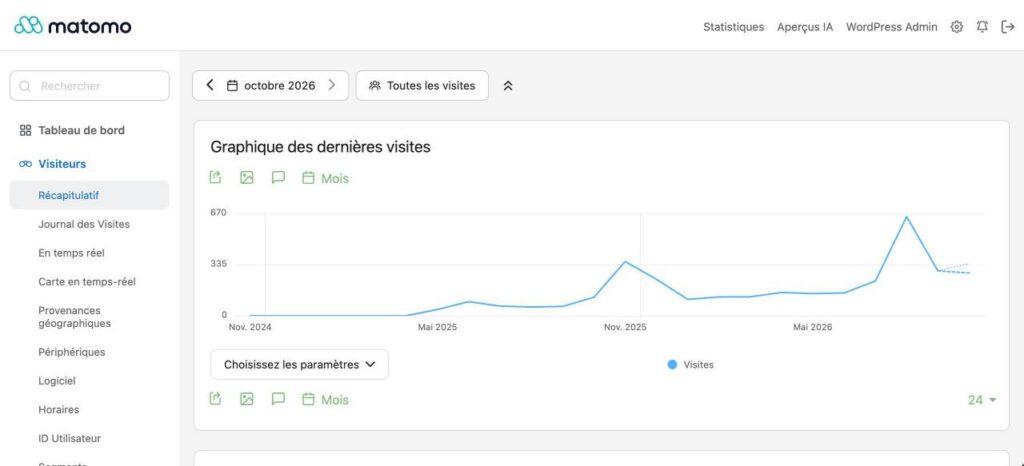
The essentials, however, remain: the number of visits, the page views, the time spent, the origin of the visitors, and their evolution month after month.
What I gain from it
- Visitors who read instead of looking for the button to close a window.
- A lighter website : fewer third-party scripts, pages that load faster.
- No extension of consent to maintain, nor a banner to be updated with each change in the rules.
- Consistency : a consultant who advises simplifying tools starts by applying the advice at home.
How to do it on your website
Here is the complete process, in order. Allow half a day for a standard showcase website.
1. Take inventory of your trackers
Open your website in a private browsing window, then open your browser's developer tools (right-click, "Inspect"). The "Application" tab (or "Storage" in Firefox) lists the cookies set, and the "Network" tab lists the third-party services called. You'll often be surprised. Look for the following first:
- Statistics and tracking tools: Google Analytics, Google Tag Manager, Site Kit;
- advertising pixels: Meta (Facebook, Instagram), Google Ads, LinkedIn, TikTok;
- integrated content: YouTube videos, Google Maps, calendars or booking widgets, online chats;
- fonts loaded from Google Fonts;
- Third-party advertising, if your site displays it.
2. Do the cleaning
- Remove Google Analytics and similar services, not forgetting the old tracking codes hidden in the settings of the theme, an SEO extension or a code insertion extension.
- Process third-party content YouTube videos in "cookie-free" mode (youtube-nocookie.com) or loaded on click, maps and calendars replaced by a simple link or button, social media sharing buttons replaced by simple links.
- Host your fonts on your own site rather than loading them from Google.
- Keep what is essential Shopping cart, login, security. These cookies are exempt from consent.
3. Install and configure Matomo
Install the extension Matomo Analytics From your WordPress dashboard (Plugins, then Add New), activate it, then configure it as follows:
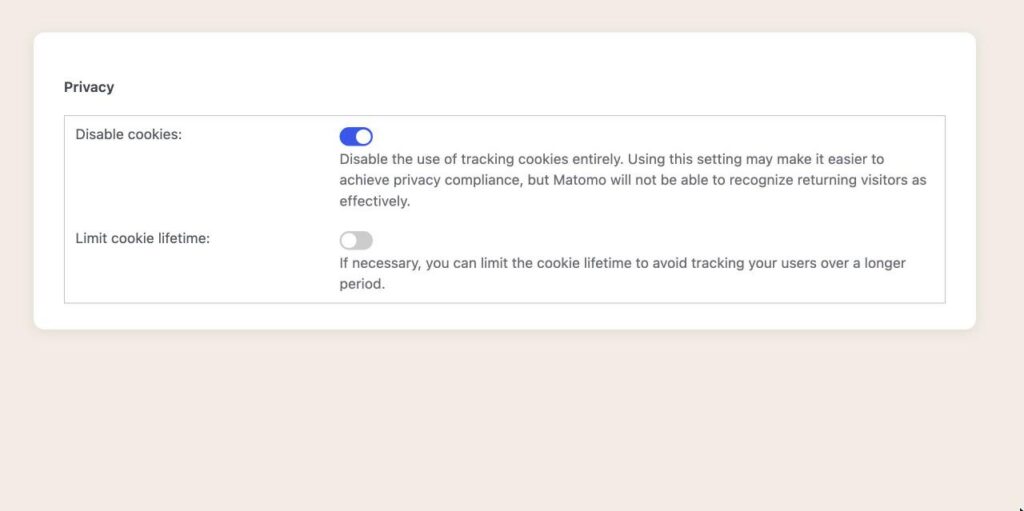
- Matomo Analytics > Settings > Tracking tab : choose the "Auto (recommended)" mode, activate "Disable cookies", set the currency to the euro, then save (Save Changes).
- Privacy & GDPR tab, «Anonymize data and IP addresses» link» The Matomo interface opens. Verify that IP address anonymization is enabled (2 bytes), answer "Yes" to "Also use the Anonymized IP addresses when enriching visits", check "Force tracking without cookies", and, if you have a store, "Anonymize Order ID". Save using the Save button in the block.
- On the same page, block "Regularly delete old raw data"« Check the box to delete raw data and enter 760 days, or approximately 25 months, the maximum retention period recommended by the CNIL (French Data Protection Authority). Leave aggregated reports enabled: this way you retain your monthly and annual statistics. Save.
- Reload the page to verify that everything is properly recorded.
4. Inform your visitors
No banner doesn't mean no information. In your legal notices or privacy policy, add a paragraph about audience measurement. For example:
«"Audience measurement is carried out using Matomo, an open-source solution installed directly on this site: statistics are not transmitted to any third party. Matomo is configured without cookies, with anonymized IP addresses, and its data is not cross-referenced with any other processing, which exempts it from requiring consent according to the recommendations of the CNIL (French Data Protection Authority). Data is kept for a maximum of 25 months. No advertising cookies are placed. Strictly necessary technical cookies (shopping cart, login session) do not require consent."»
5. Remove the banner and check
Once you've cleaned up your system, disable your consent banner extension. Then repeat the initial test in private browsing mode: only strictly necessary cookies (shopping cart, login) should remain, and no Matomo cookies (those starting with "_pk_"). The next day, your first visits should appear in the Matomo dashboard.
My hunch is that many websites could do without banners overnight, simply because they don't really use the tools that make them necessary. They've installed Google Analytics "just to see," a pixel "just in case," and they force a pop-up window on every visitor for data that no one actually looks at.
Frequently Asked Questions
Is a website without cookie banners truly legal?
Yes, provided that it only uses trackers exempt from consent: those strictly necessary for the operation of the site or the requested service, and audience measurement configured under the CNIL exemption. As soon as an advertising or tracking tracker is involved, consent becomes mandatory again.
Can you measure your audience without cookies?
Yes. Tools like Matomo can function without setting cookies, or with cookies limited to website audience measurement, in compliance with CNIL regulations: aggregated data, no cross-referencing with other processing, and no sharing with third parties. You get the essentials (visits, page views, traffic sources) without tracking your visitors.
And what about the cookies from my online store?
The cookies used for the shopping cart, customer login, or payment are strictly necessary for the requested service. They do not require consent. Simply remember to mention them in your privacy policy.
Do we still need a page about cookies?
Yes. Even without a banner, you must inform your visitors about the tracking technologies used and their purpose, usually in your privacy policy or legal notices. This is not legal advice: for a specific case, the opinion of a lawyer remains the best guide.


Leave a Reply